

Review: TMPGEnc Authoring Works 4
Today we will be reviewing the excellent shareware program TMPGEnc Authoring Works 4, powerful software used to author DVDs from all types of video sources.
If you would like to download a free trial of the software from Pegasys, you can do so here: Free trial
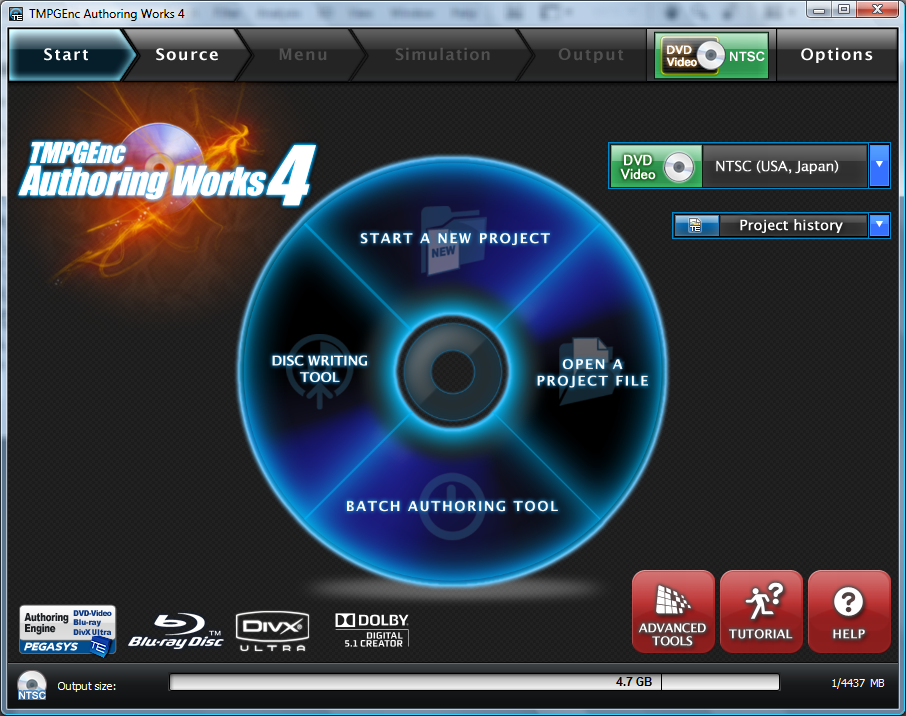
At first glance, TMPGEnc has an easy interface. There are four options, Start a new project, disc writing tool, open a project file and batch authoring file. As can be deduced, starting a new project will lead you to the starting steps of authoring a new project. You can open an older, saved project with the second option, or you can burn a project with the disc writing tool.
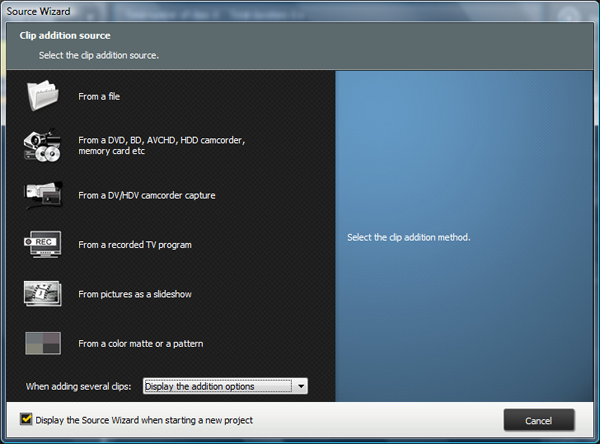
I would first implore you to head over to Options and set all output folders to where you want them. Then head over to Start a New Project. You can choose between using a file from your PC, from a camcorder, from a disc (including Blu-ray) or even from a color matte. I chose an HD trailer, from my computer. It was a WMV file, but most file types work.
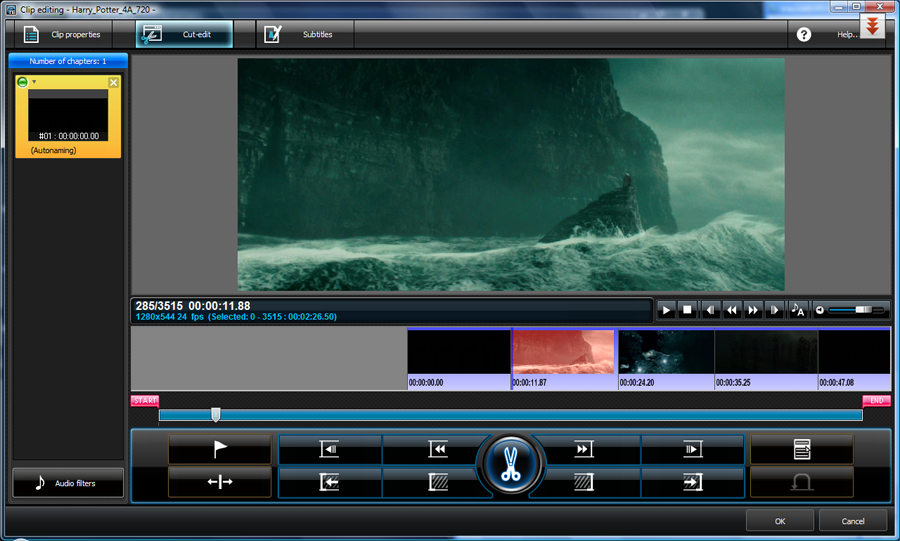
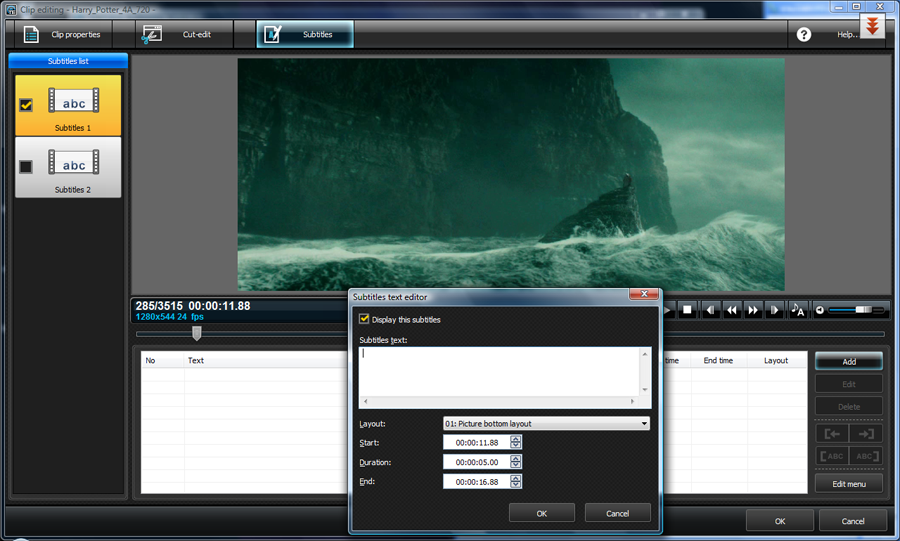
You can now edit the file to your liking, cutting, adding transitions, boosting audio (in Audio Filters) or even adding Subtitles, via the subtitles editing tab, on the top (next to clip properties and cut edit). In clip properties, you have more powerful options as well, including the ability to add more files, add new audio streams, or set the framerate, aspect ratio or display mode. If you are unprepared to set these manually, the program smartly does it automatically. The subtitle menu is straightforward as well, allowing you to add multiple subtitle streams (different languages, perhaps) as well as allowing you to go to exact seconds to start the subtitles (as well as change font, size, etc).
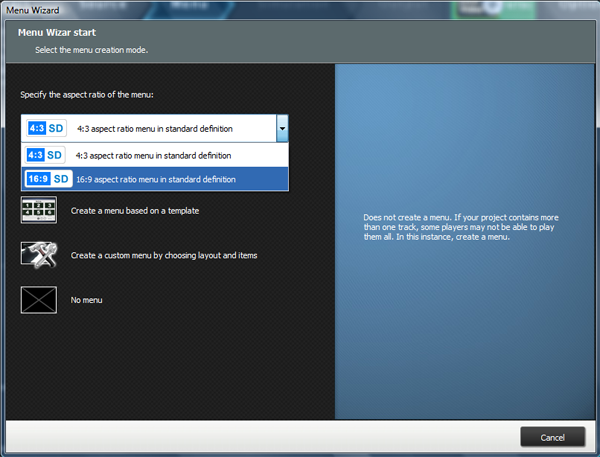
The next tab is the Menu screen. You can manually choose the format (either Widescreen or 4:3 full screen) and then whether you want to make a menu based on a template or completely custom. There are some nice templates, and all are easily editable. You can also choose to have no menu, choice is up to the user. I have selected custom menu.
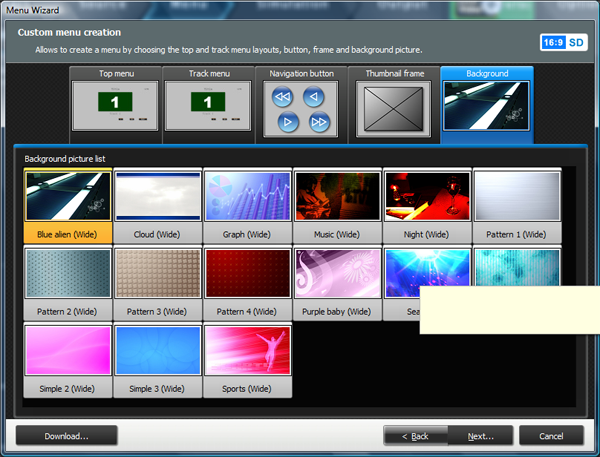
From here you can choose from tons of top menus, top tracks, navigational buttons, thumbnail frames and backgrounds. If you make a mistake, you can always go back and edit. The program will also save your preferences in case you forget to save and will remain there the next time you open. To edit the text in the menu, as well as colors, or add audio, and even effects, hit the Page Editor
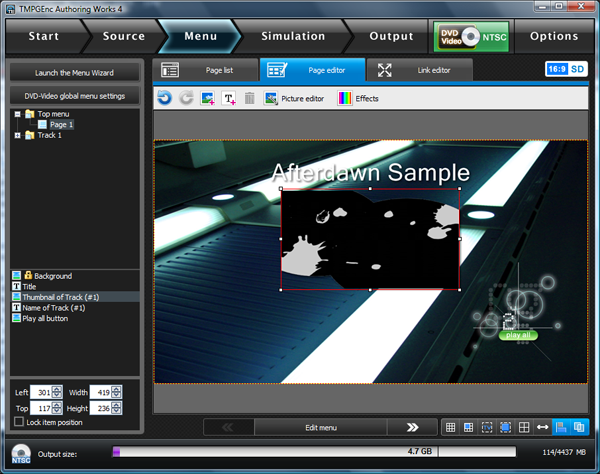
I have not made the prettiest menu in the world, but if you take your time you can make some excellent work.
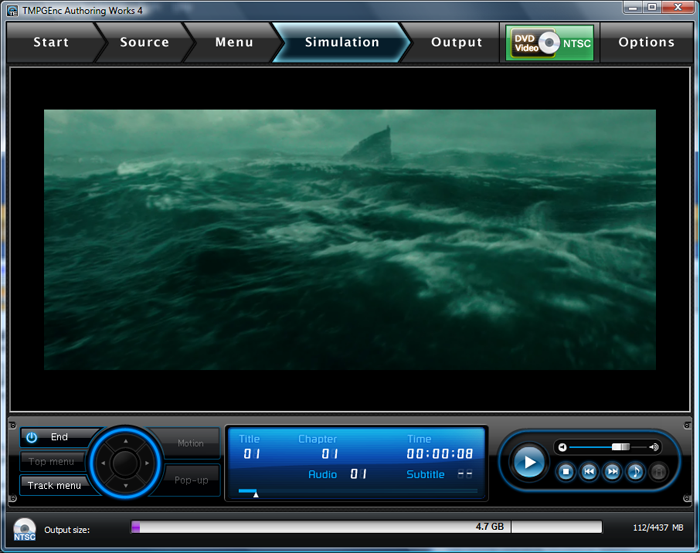
The next part of the progression is the Stimulation, aka the "preview. Here you can preview your menu and your edited clip before actually encoding. You can always go back and edit if you do not like what you see.
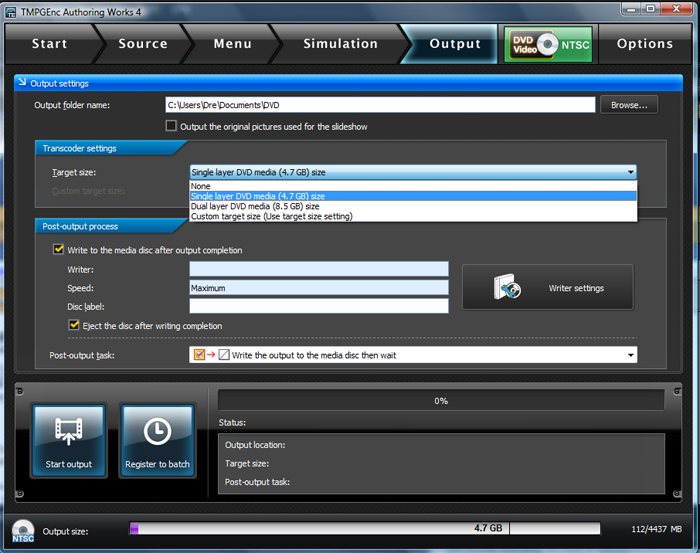
All that is left is to output your file, so head to the output tab and choose the target size you want your file authored too (I chose single layer DVD). Also, select where you want the files outputted to. You can also choose to burn the output to disc, by selecting Write to the media disc after output completion. If you do not, you can always burn the authored video later using TMPGenc and their Disc Writing tool.
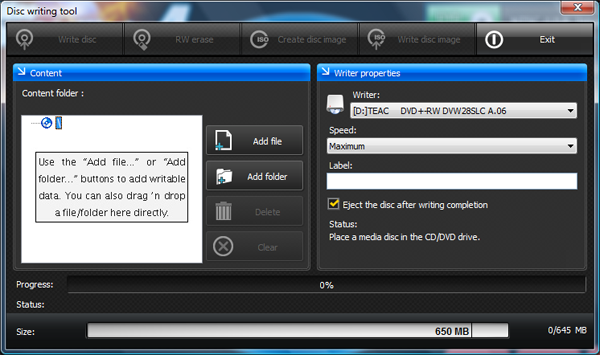
If you did not choose to burn before, you can do so from the starting page, using the disc writing tool. Hit add file or folder and select the file. Choose your burner and your speed (8x should be standard).
Overall, the software is very easy to follow, has a good interface, and is very powerful. Authored video gives good quality and the variety of inputs and file formats is great as well. If you like simple, but powerful authoring software, TMPGEnc Authoring Works 4 is a smart choice.
If you would like to download a free trial of the software from Pegasys, you can do so here: Free trial
Getting Started
At first glance, TMPGEnc has an easy interface. There are four options, Start a new project, disc writing tool, open a project file and batch authoring file. As can be deduced, starting a new project will lead you to the starting steps of authoring a new project. You can open an older, saved project with the second option, or you can burn a project with the disc writing tool.
Starting a New Project
I would first implore you to head over to Options and set all output folders to where you want them. Then head over to Start a New Project. You can choose between using a file from your PC, from a camcorder, from a disc (including Blu-ray) or even from a color matte. I chose an HD trailer, from my computer. It was a WMV file, but most file types work.
Editing the file
You can now edit the file to your liking, cutting, adding transitions, boosting audio (in Audio Filters) or even adding Subtitles, via the subtitles editing tab, on the top (next to clip properties and cut edit). In clip properties, you have more powerful options as well, including the ability to add more files, add new audio streams, or set the framerate, aspect ratio or display mode. If you are unprepared to set these manually, the program smartly does it automatically. The subtitle menu is straightforward as well, allowing you to add multiple subtitle streams (different languages, perhaps) as well as allowing you to go to exact seconds to start the subtitles (as well as change font, size, etc).
Menu
The next tab is the Menu screen. You can manually choose the format (either Widescreen or 4:3 full screen) and then whether you want to make a menu based on a template or completely custom. There are some nice templates, and all are easily editable. You can also choose to have no menu, choice is up to the user. I have selected custom menu.
From here you can choose from tons of top menus, top tracks, navigational buttons, thumbnail frames and backgrounds. If you make a mistake, you can always go back and edit. The program will also save your preferences in case you forget to save and will remain there the next time you open. To edit the text in the menu, as well as colors, or add audio, and even effects, hit the Page Editor
I have not made the prettiest menu in the world, but if you take your time you can make some excellent work.
Simulation
The next part of the progression is the Stimulation, aka the "preview. Here you can preview your menu and your edited clip before actually encoding. You can always go back and edit if you do not like what you see.
Output
All that is left is to output your file, so head to the output tab and choose the target size you want your file authored too (I chose single layer DVD). Also, select where you want the files outputted to. You can also choose to burn the output to disc, by selecting Write to the media disc after output completion. If you do not, you can always burn the authored video later using TMPGenc and their Disc Writing tool.
Disc Writing Tool
If you did not choose to burn before, you can do so from the starting page, using the disc writing tool. Hit add file or folder and select the file. Choose your burner and your speed (8x should be standard).
Overall, the software is very easy to follow, has a good interface, and is very powerful. Authored video gives good quality and the variety of inputs and file formats is great as well. If you like simple, but powerful authoring software, TMPGEnc Authoring Works 4 is a smart choice.




